
All-in-One Computers Recycling in Bellingham
Recycle all-in-one computers with 1PC in Bellingham. See what to remove, how to prepare it, and what happens after drop-off.
- Accepted?
- Accepted
- Fee
- FREE
- Item type
- Data-bearing computer
- Business pickup
- Available for qualifying business quantities
Description
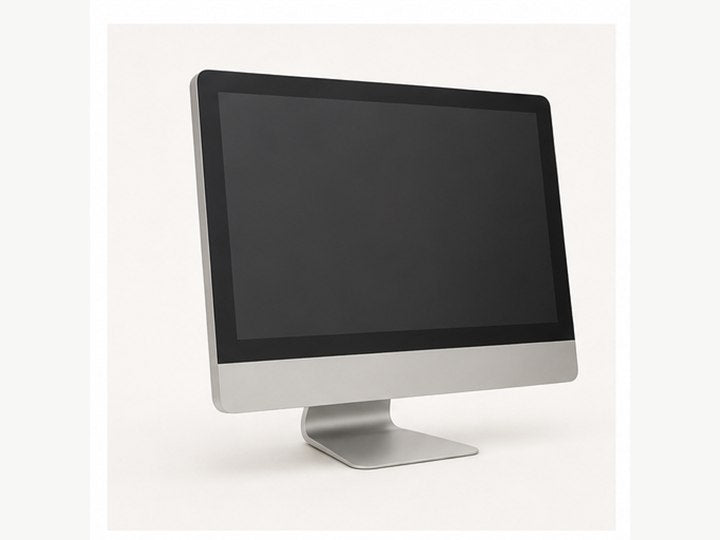
All-in-one desktops such as iMacs and Windows AIO PCs, any age or condition.
Considerations before bringing it
Treat an all-in-one as a computer, not just a monitor, because it can contain a hard drive or SSD. Easiest indications of monitor vs AiO (All in One) are an OS license sticker, a CPU sticker. Otherwise the model information is likely listed somewhere on the device.
Preparation notes
Back up data, sign out of accounts, and decide whether you need a wipe, shred, or certificate of destruction.
Data and privacy prep
Back up files first. If formal documentation is needed, request it before drop-off or pickup.
Data notes are not exhaustive. Devices may store information in drives, removable media, onboard flash, configuration memory, cloud/app accounts, SIM cards, or other locations. Back up, sign out, reset when possible, remove media you want to keep, and request documented destruction before drop-off if security matters.
Best way to bring it to us
Bring the full unit as-is. Remove dongles, discs, accessories, and stands only if you want to keep them.
Accessories and related parts
Common accessories or related parts: Keyboard, mouse, power cable, external drives, USB devices.
Accessory handling: Yes, accepted separately.
Processing options
Destruction options: Wipe, Shred.
Either wipe in-device using software or remove storage media and physically shred it. Certificate/asset documentation should be requested during drop off.
What happens after drop-off
Evaluated as both a computer and a display: reusable units may be refurbished, storage is handled securely, and remaining material is recycled responsibly.
What may happen after intake
These videos can show the different paths a computer may take after drop-off: refurbish, scrap, certificate of destruction, or tear down.